
Windows Download
Your KTAS Download Starts Here
Download KTAS for Windows and follow the simple steps below to install it smoothly on your computer.
Download KTAS for WindowsIf the download does not start, click the button again.
How to Install KTAS on Windows
- Click the Download KTAS for Windows button above.
- Wait for the setup file to finish downloading.
- Open the downloaded file from your browser downloads or Downloads folder.
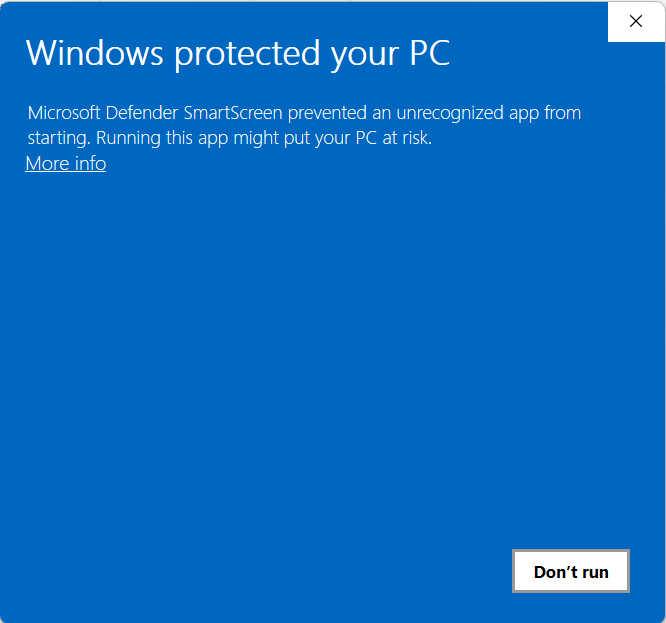
- If Windows shows a security prompt, click More info and then Run anyway if you trust the file source.
- Follow the installation steps shown on your screen.
- Once installation is complete, open KTAS from your desktop or Start menu.
- Log in and begin using KTAS.
Tip: If the installer does not open automatically, check your Downloads folder and run it manually. If Windows shows a security prompt, click More info and then Run anyway.